
Every hour counted. Every check-in verified.
Attendance, shift planning, leave and payroll-ready reports in one system that runs on your own server. Staff clock in with QR, NFC, GPS, a fingerprint, a card or their face. Schools can email parents the moment a child arrives.
From the front door to payroll, one live record.
The web dashboard, the phone app, the desktop kiosk and the door terminals all write to the same database. A check-in at 08:58 shows up on the manager's screen at 08:58.
Web dashboard
The control centre for owners and managers: live attendance, shift planning, leave approvals, reports and every setting.
Mobile app
For iPhone and Android. Employees clock in, see shifts and ask for leave. Managers approve and watch the team live.
Desktop & kiosk
A native app for Windows and macOS, plus a kiosk mode that turns a tablet or PC at the entrance into a shared check-in point.
Door terminals
Fingerprint, card and face terminals (Dahua) at the entrance clock people in and can open the door at the same time.
Seven ways to clock in. None of them fakeable.
Pick what suits each location. Use phones in the shop, a terminal at the warehouse door and a kiosk in the staff room, all at once.
QR code
Print a QR code for each location from the dashboard. Employees scan it with the app, and the server checks they are really there.
Mobile appNFC tag
Stick an NFC tag by the door. One tap of the phone and the shift starts, even faster than a QR scan.
Mobile appGPS geofence
Each location has its own radius. A check-in from too far away is refused, and the manager is alerted right away.
Every app check-inKiosk mode
A shared tablet or PC at the entrance shows a live QR and the clock. Great for teams without company phones.
Desktop / tabletFingerprint, card & face terminals
Connect Dahua access-control terminals. A small on-site agent sends every swipe to your server over a secure outbound connection, so no ports need to be opened on the router. If the network drops for days, it catches up on its own and nothing is lost.
Opens the door
Choose which app check-ins (QR, NFC or mobile) open the terminal's door or a smart gate at that location.
Per locationManager entry
Forgot to check out? Managers add or fix entries, and every change is recorded. Shifts left open close automatically.
Web dashboardEverything HR needs, down to the minute.
Built with real shops, warehouses, hotels and schools in North Macedonia and Albania, and improved every week with their feedback.
Live attendance
See who is on shift right now, who is late, who is on leave and who hasn't arrived, across every location, refreshed live.
Late & extra minutes
Every entry is compared with the planned shift, so lateness and overtime are calculated for you, minute by minute.
Night hours
Set when night work starts and ends. Night hours are split out automatically, following Balkan labour law.
Auto check-out
If someone forgets to check out, the shift is closed after the hours you choose, so a forgotten shift never runs for days.
Flags & alerts
Check-ins with missing or wrong GPS are flagged for review, and managers get a push alert for every refused attempt.
Edit with a full trail
Managers fix mistakes in a few clicks. Every edit is kept, and edited days are protected when terminal logs are replayed.
Drag-and-drop planner
Plan the whole team by day or week. Drag shifts between people and days, and see gaps and overlaps right away.
Templates & shift types
Save shifts like "Morning 07–15" or "Night 23–07" and limit each template to the employee types it applies to.
Copy the week
Copy last week's plan to next week in one click, then change only what is different.
Shift reminders
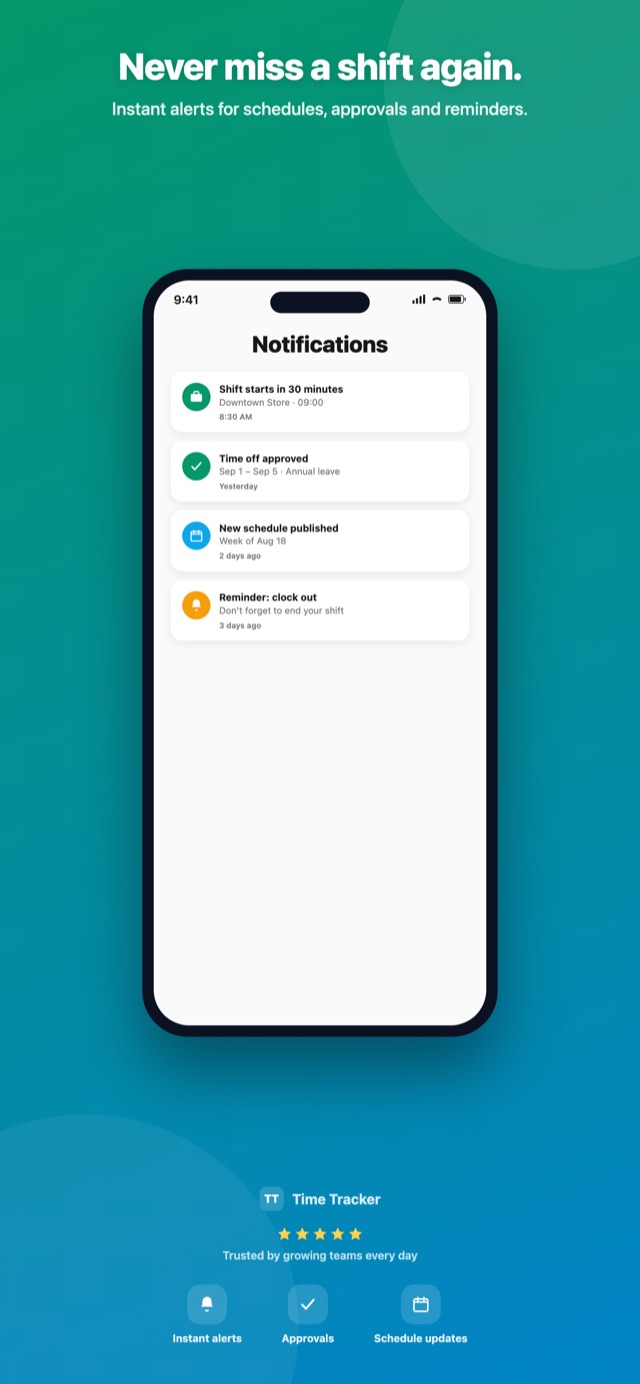
Employees get a push notification before their shift and whenever their schedule changes.
Print the schedule
Export the shift schedule for any date range as a clean PDF, ready to pin on the staff board.
Per-location plans
Each manager plans only their own locations, and employees see where each shift takes place.
Your own leave types
Annual leave, sick leave, unpaid, maternity: create any type, each with its own rules and yearly allowance.
Live balances
Each employee sees how many days they have left. Weekends and public holidays never count against the balance.
Approve from anywhere
Requests arrive as a push notification. Approve or reject on the phone or the web, and the employee is told at once.
Public holidays
Import a country's holidays in one click, including Ramazan Bajram and Kurban Bajram, or add your own.
Team absence calendar
See who is away on any day before you approve the next request, with details for each absence.
Your leave year
Start the leave year on any date, and add past leave so balances are correct from day one.
Analytics dashboards
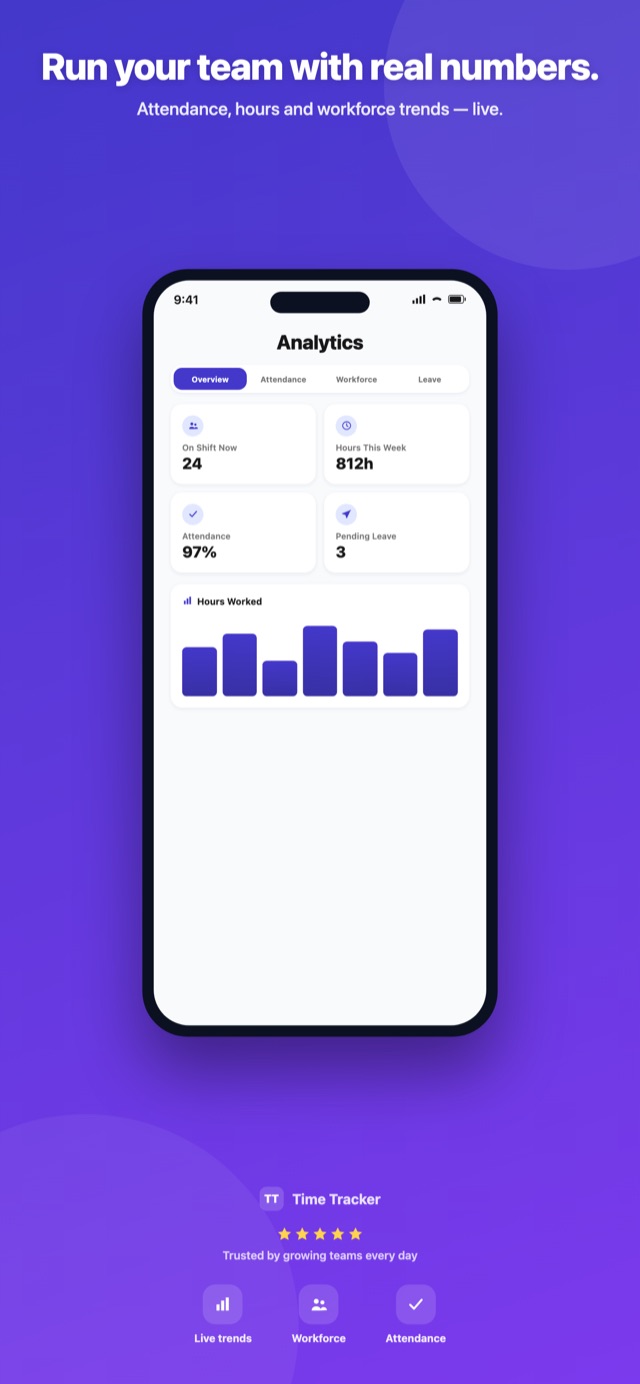
Overview, attendance, workforce and leave dashboards, filtered by location and date range.
Payroll-ready hours
Regular, night, Sunday and holiday hours for each employee, already added up. No more spreadsheets at the end of the month.
Per-employee breakdown
Open anyone to see days worked, days on leave, free days, late minutes and overtime for the period.
PDF & Excel export
Every report exports to PDF and Excel in Macedonian, Albanian or English, ready for your accountant.
Custom reports
Build your own work-hours and check-in reports with the columns and rules your company needs.
Holidays worked
See who worked on each public holiday and how many hours, so holiday pay is never missed.
Multi-location
Unlimited locations, each with its own address, GPS radius, QR codes, terminals and managers.
Roles & permissions
Owner, manager and employee roles. Managers only see the people and locations they are responsible for.
Employee types
Group staff by type (full-time, part-time, seasonal) and store employment details for each person.
Device pairing
Phones join with a company connect key, with a limit on devices per company and rate-limited pairing, so accounts can't be shared.
Your brand
Upload your logo and choose what employees can see, for example hide working hours from staff if you prefer.
Your language, your theme
Macedonian, Albanian and English everywhere, including PDFs and emails, with light and dark themes.
Live in a day, not a quarter.
We install it, set it up with you and train your managers. Your team just downloads the app.
We install it on your server
An office PC, a rented VPS or your IT provider's server. One installer for Windows, with automatic backups.
Add locations and people
Create your locations with a GPS radius, import employees, set shift templates and leave types.
Print QR codes, pair terminals
Print a QR or NFC tag for every entrance, connect fingerprint or face terminals and set up the kiosk.
Staff connect with a key
Employees install the app, enter the company connect key and log in. From then on it's one tap a day.
The time clock is now in every pocket.
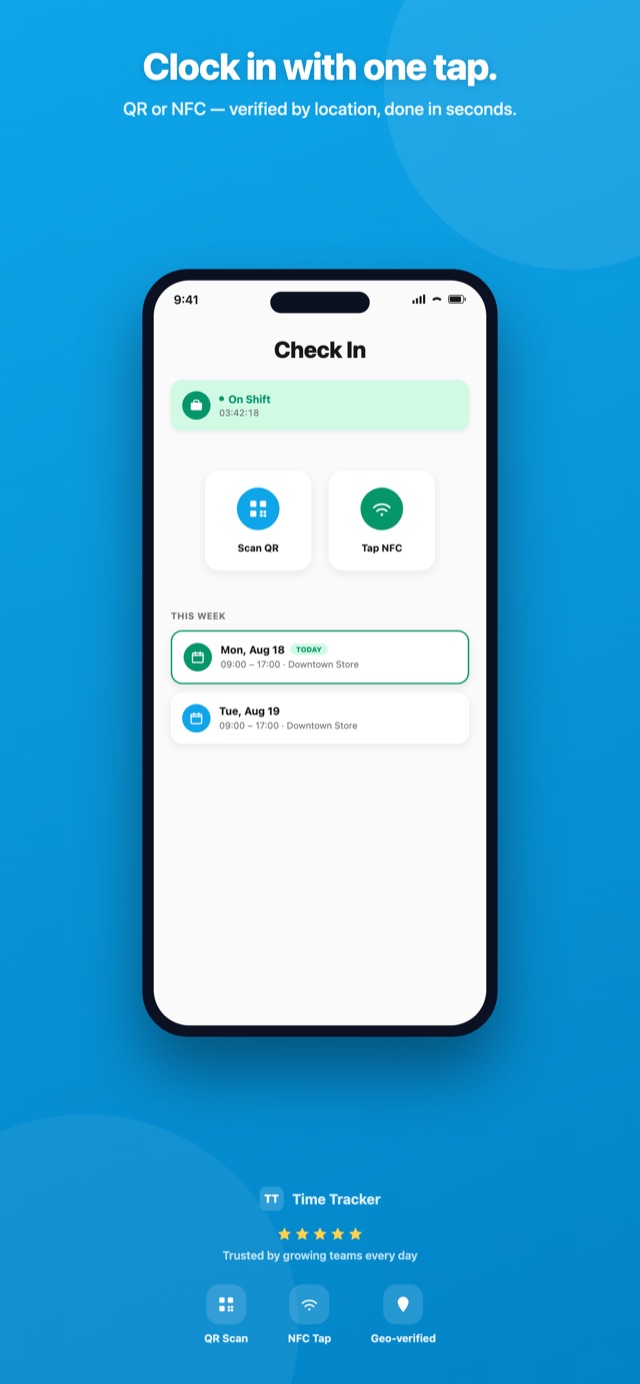
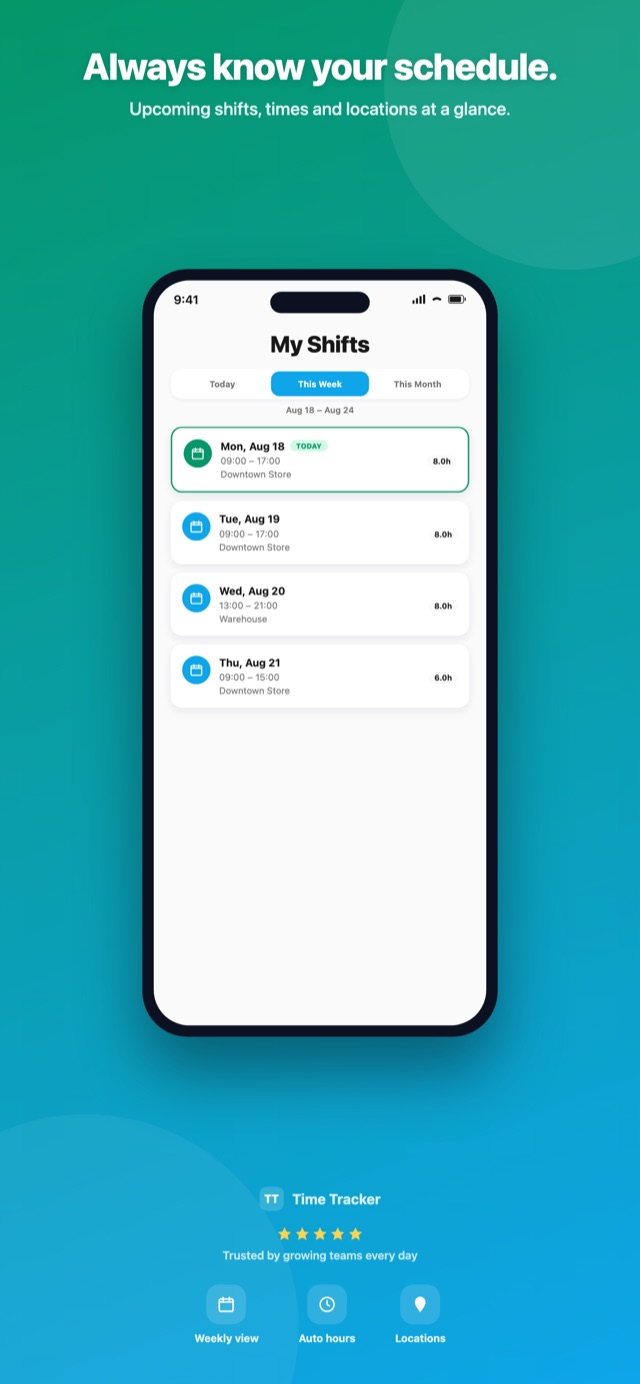
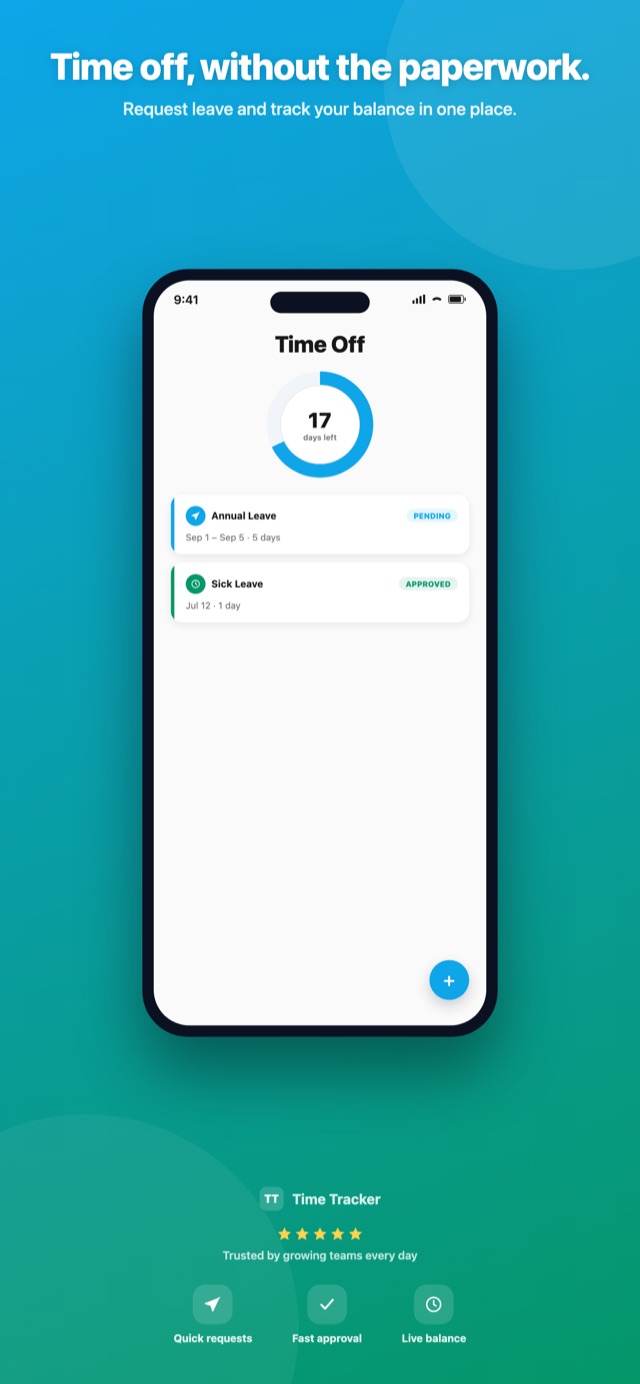
Employees clock in with one tap, see the week's shifts and ask for a day off without filling in a form. Managers get the whole team on the same app: who is in, who is late, what needs approval.
- Scan QR or tap NFC, checked against the location's GPS in seconds
- A live shift timer and the week's schedule on the home screen
- Leave balance, requests and approvals with push notifications
- Managers: live check-ins, team analytics and shift edits on the go
- Works on the office Wi-Fi even without internet
Straight from the app.
No phone? No problem.
Put a tablet or PC at the entrance in kiosk mode, or mount a fingerprint, card or face terminal by the door. People check in on the way past, and the result appears on the dashboard instantly.
- Kiosk shows a rotating QR and the time, so a photo of the code is useless later
- Terminals keep working offline and send every swipe once the network is back
- Live online/offline status of every terminal in Settings
- Open the door or gate on a successful check-in
Parents know the moment their child arrives.
Turn on School mode and students become people who check in at the entrance terminal with a card or their face, with no app, email or password. Each time they arrive or leave, their parents get an email within seconds, in their own language.
- Students without logins. Email and password become optional, so a student only needs a card or a face scan
- Email on arrival and on departure, each switchable on or off
- Siblings share one parent, and a child can have several parents
- Teachers and staff use the same system for their own attendance
Import parents in minutes
Upload a CSV or Excel file with student ID, parent name, email and language. You see a preview with every error before anything is saved.
Three email designs
Classic, Card or Letter, with the school logo and a footer with your phone, address and website. Preview check-in and check-out emails live.
Each parent's language
Every parent gets the email in Macedonian, Albanian or English, whichever they chose.
Full email log
Every email with its status (sent, pending, failed), filtered by date, building or student, with a one-click retry.
Never lost
Emails are queued at the moment of check-in and retried automatically, so a mail server hiccup only delays an email.
GDPR-friendly
Every email has an unsubscribe link, the data stays on the school's own server, and only a super admin can change school settings.
Your employees' data never leaves your building.
Time Tracker runs on your own server, not on someone else's cloud. It works on the local network even when the internet is down, and goes online only when you want it to.
Wherever you want
An office PC, a rented VPS or your IT provider's server. We install, configure and update it for you.
Works without internet
When the server and devices are on the same network, check-ins, kiosks and terminals keep working offline.
Encrypted backups
Automatic database backups, with secrets encrypted on the machine and an optional off-site copy to the cloud.
Web, mobile, kiosk and terminal, side by side.
| Feature | Web | Mobile | Kiosk | Terminal |
|---|---|---|---|---|
| Check-in | ||||
| QR & NFC check-in with GPS | ||||
| Fingerprint, card & face | ||||
| Manual entry & corrections | ||||
| Team | ||||
| Live attendance | ||||
| Shift planning | ||||
| Leave requests & approvals | ||||
| Push notifications | ||||
| Management | ||||
| Analytics | ||||
| Work-hours reports, PDF & Excel | ||||
| Locations, employees, settings | ||||
| School mode & parent emails | ||||
One system. Sized to you.
The price depends on the number of employees, locations and terminals. Installation, setup and training are included.
Business
For shops, offices and single-site teams
Custom quote
- Web dashboard & mobile app
- QR, NFC & GPS check-in
- Shifts, leave & holidays
- Work-hours reports, PDF & Excel
- Installation & support
Enterprise
For multi-location companies, hotels and warehouses
Custom quote
- Everything in Business
- Unlimited locations & managers
- Fingerprint, card & face terminals
- Kiosk mode & door opening
- Custom reports & priority support
School
For primary and secondary schools
Custom quote
- Staff attendance, shifts & leave
- School mode for students
- Parent emails on arrival & departure
- Card or face terminals at the entrance
- Parent import & email log
Good questions.
Does Time Tracker need internet to work?
No. If the server and the devices are on the same network, check-ins, the kiosk and the terminals all work without internet. You only need internet for access from outside the building, push notifications and parent emails. Terminals keep every swipe and send it once the connection is back.
Can employees cheat with someone else's phone or a photo of the QR?
Every app check-in is checked against the location's GPS radius, each phone is paired to the company with its own key, the number of devices per company is limited, and the kiosk QR keeps changing. Refused attempts alert the manager right away. For the strictest setups, use fingerprint or face terminals.
How does School mode work for students?
Students are added without an email or password and get a card or a face enrolment on the entrance terminal. You import parents from a CSV or Excel file. Each time a student checks in or out, their parents receive an email in their language, using the design and logo you chose.
Which terminals are supported?
Dahua access-control terminals with fingerprint, card, face or PIN. A small agent runs on a PC or Raspberry Pi next to the terminal and connects out to your server, so nothing has to be opened on the router. Tell us your model and we'll confirm it.
Is it ready for payroll?
Yes. Work-hours reports add up regular, night, Sunday and holiday hours, late minutes, overtime and leave days per employee, and export to PDF or Excel in Macedonian, Albanian or English.
Where is our data stored?
On your own server: an office PC, a VPS you rent or your IT provider's server. We never host it for you unless you ask. Read the Privacy Policy for details.
See Time Tracker with your team.
Book a free demo. We'll set it up with your own locations and shifts so you can see how it fits before you decide.